All Stories

Free Net Connection In Airtel With out Gprs Activation

Unknown | 7:27 PM | Be the first to comment!

Tips To Get the Free Net connection In Airtel Live:-


Hi Friends everyone want to have the internet connection for free, but practically it wont possible in the real life because it was not provided by the server's like Airtel,Aircel,Vodafone. Here is the technique that was revealed here. Here this was discussed that the free internet connection without GPRS activation. But this was work only in the java phone's only ...

As soon as this was provided to the Android Phones.. 

This is the Nice trick To get the free Airtel GPRS:-

How To Do:-


  • First of all you need to activate the GPRS connection in the Handset or mobile phone..
                                          (Otherwise)                    
  • Then Call to the 121 and activate the GPRS connection.
  • If you Got GPRS connection then Follow the steps below.
  • Tea-Shark Web Browser which gives the free net Connection.
     

  • It also works in the Java Handset.
     

  • To Download this Click Here.
  •  This Trick is Most probably Work in all type of Handsets
  • Wanna Play game with Google Images Then Look at the last of this article.

Important Note :-


Viewers must be Check your Balance After few minutes of usage..

This software is only available in this site only .....

   
 This is an Excellent Technique Found in Airtel

 Check This out:- 

Tips To Invite All Friend For Page likes......


Tips To Get the Free Net connection In Airtel Live:-


Hi Friends everyone want to have the internet connection for free, but practically it wont possible in the real life because it was not provided by the server's like Airtel,Aircel,Vodafone. Here is the technique that was revealed here. Here this was discussed that the free internet connection without GPRS activation. But this was work only in the java phone's only ...

As soon as this was provided to the Android Phones.. 

This is the Nice trick To get the free Airtel GPRS:-

How To Do:-


  • First of all you need to activate the GPRS connection in the Handset or mobile phone..
                                          (Otherwise)                    
  • Then Call to the 121 and activate the GPRS connection.
  • If you Got GPRS connection then Follow the steps below.
  • Tea-Shark Web Browser which gives the free net Connection.
     

  • It also works in the Java Handset.
     

  • To Download this Click Here.
  •  This Trick is Most probably Work in all type of Handsets
  • Wanna Play game with Google Images Then Look at the last of this article.

Important Note :-


Viewers must be Check your Balance After few minutes of usage..

This software is only available in this site only .....

   
 This is an Excellent Technique Found in Airtel

 Check This out:- 

Tips To Invite All Friend For Page likes......


Download All Picture Comments For Facebook

Unknown | 5:04 PM | Be the first to comment!


Offline voice typing !! (Jelly Bean)

Unknown | 7:01 PM | 1 Comment so far


One of the big improvements in Jelly Bean was the ability to let your phone or tablet convert your speech to text.
Phones have done that for a while now, but it generally meant sending your input over the air, doing the decoding in the cloud, and showing the result on your device.
Android can now do the text generation itself -- which makes it a speedier process, and possible even without an Internet connection.
Head over to "Language and Input" in the Settings app, then choose "Download offline speech recognition" under the "Voice Search" heading.
You'll be prompted to download a language pack for each language you want Android to recognize; once that's done you'll be able to dictate text even if Google's servers go down or you've got poor reception.


One of the big improvements in Jelly Bean was the ability to let your phone or tablet convert your speech to text.
Phones have done that for a while now, but it generally meant sending your input over the air, doing the decoding in the cloud, and showing the result on your device.
Android can now do the text generation itself -- which makes it a speedier process, and possible even without an Internet connection.
Head over to "Language and Input" in the Settings app, then choose "Download offline speech recognition" under the "Voice Search" heading.
You'll be prompted to download a language pack for each language you want Android to recognize; once that's done you'll be able to dictate text even if Google's servers go down or you've got poor reception.

Default equalizer for Andriod !! (Jelly Bean)

Unknown | 6:51 PM | Be the first to comment!


Default Equalizer for Android.
Android's built-in Music app is pretty capable -- and for Jelly Bean users (both 4.1 and 4.2), you'll find the ability to equalize your music has been baked right in. Once you're playing a song, hit the three dots in the upper-right corner and select "Equalizer." You'll be able to select from presets such as "Folk" and "Heavy Metal," and you can even drag the five sliders yourself to fine-tune based on what you're listening to at the moment.
Down below are extra controls: drag to adjust the amount of bass boost applied.
There’s also a "3-D effect," some software processing that makes the music sound a little deeper. Those options are only available when headphones are plugged in, since they wouldn't make much of a difference to the sound quality of your phone's built-in speaker.


Default Equalizer for Android.
Android's built-in Music app is pretty capable -- and for Jelly Bean users (both 4.1 and 4.2), you'll find the ability to equalize your music has been baked right in. Once you're playing a song, hit the three dots in the upper-right corner and select "Equalizer." You'll be able to select from presets such as "Folk" and "Heavy Metal," and you can even drag the five sliders yourself to fine-tune based on what you're listening to at the moment.
Down below are extra controls: drag to adjust the amount of bass boost applied.
There’s also a "3-D effect," some software processing that makes the music sound a little deeper. Those options are only available when headphones are plugged in, since they wouldn't make much of a difference to the sound quality of your phone's built-in speaker.

Tips to increase the performance of PC for Gaming.

Unknown | 11:31 AM | Be the first to comment!


1. Speed Up Your Startup

If an entire pot of coffee can brew in the time it takes for your computer to boot, it’s time to make some changes. Most likely your computer is not slow – it’s the dozens of programs turning on during startup that are slowing it down.
Download a comprehensive tool like Autoruns to easily disable certain programs during your startup. Or try Windows’ slightly less thorough, built-in utility,MSConfig. To find it, go to Search or Run under Start and type “msconfig.” Under the “Startup” tab, uncheck the boxes of the programs you don’t need to run every time your computer is turned on, for instance, iTunes or your printer. If you don’t recognize a program, leave it be. Restart your computer and watch it fly.

2. Clear It Out

If painfully slow surfing is your main problem, there are a couple quick changes you can make.
Are you an Internet Explorer user? Get rid of it. Google Chrome is the best browser on the market now, known for speedy surfing. Under Chrome, go to Clear Browsing Data and check the boxes of temporary Internet files like cookies, cache, download history and browsing history.
To take further precaution, try a program like CCleaner from Piriform. The free software program removes temporary files from all of your browsers, as well as Windows and the registry, to make your PC run faster.

3. Slim Down

This involves more than just uninstalling programs you don’t use anymore. If you’re not totally committed to the usual suspects, like Windows Media Player and Microsoft Office, switch to something that requires less computing power. Free applications can easily replace go-to programs, while speeding up your PC and giving you additional features at the same time.
VLC Media Player is a lightweight, open source media player that rips DVDs, streams video and recognizes any unprotected media format. FoxIt Reader, an alternative to Adobe Reader, does more than just open PDFs all while using less RAM. Edit documents, open multiple PDFs in tabs and more. AbiWord, a free and open source word processor, and Apache’s Open Office, a free and open source full-fledge suite, can easily fill the void of Microsoft Office.

4. Automate Your Updates

Updates are annoying. It’s easy to click “remind me later” and avoid the notifications, until you’re so frustrated with your computer that you finally set aside an entire afternoon to update everything.
Let’s solve this. Go to My Computer > Properties > Automatic Updates. Make sure this is set to Download and Install Automatically. To completely cover your bases, find out if any programs need to be updated manually by downloadingUpdate Checker from FileHippo.com. The fast and free program scans your computer and reports back with any available updates in seconds.

5. Make Some Upgrades

If you’re into gaming, a $150 investment in a graphics card might be worth your while. Forewarning: You’ll have to toy with your motherboard to make this upgrade happen, but there are a lot of online tutorials you can follow.
Finally, the most effective way to speed up your PC – which also requires tinkering – is to add more RAM (random access memory). You can find 4GB of memory for under $50 online. If you have less than 2GB (go to My Computer > Properties to find out), an upgrade should be in your future.


1. Speed Up Your Startup

If an entire pot of coffee can brew in the time it takes for your computer to boot, it’s time to make some changes. Most likely your computer is not slow – it’s the dozens of programs turning on during startup that are slowing it down.
Download a comprehensive tool like Autoruns to easily disable certain programs during your startup. Or try Windows’ slightly less thorough, built-in utility,MSConfig. To find it, go to Search or Run under Start and type “msconfig.” Under the “Startup” tab, uncheck the boxes of the programs you don’t need to run every time your computer is turned on, for instance, iTunes or your printer. If you don’t recognize a program, leave it be. Restart your computer and watch it fly.

2. Clear It Out

If painfully slow surfing is your main problem, there are a couple quick changes you can make.
Are you an Internet Explorer user? Get rid of it. Google Chrome is the best browser on the market now, known for speedy surfing. Under Chrome, go to Clear Browsing Data and check the boxes of temporary Internet files like cookies, cache, download history and browsing history.
To take further precaution, try a program like CCleaner from Piriform. The free software program removes temporary files from all of your browsers, as well as Windows and the registry, to make your PC run faster.

3. Slim Down

This involves more than just uninstalling programs you don’t use anymore. If you’re not totally committed to the usual suspects, like Windows Media Player and Microsoft Office, switch to something that requires less computing power. Free applications can easily replace go-to programs, while speeding up your PC and giving you additional features at the same time.
VLC Media Player is a lightweight, open source media player that rips DVDs, streams video and recognizes any unprotected media format. FoxIt Reader, an alternative to Adobe Reader, does more than just open PDFs all while using less RAM. Edit documents, open multiple PDFs in tabs and more. AbiWord, a free and open source word processor, and Apache’s Open Office, a free and open source full-fledge suite, can easily fill the void of Microsoft Office.

4. Automate Your Updates

Updates are annoying. It’s easy to click “remind me later” and avoid the notifications, until you’re so frustrated with your computer that you finally set aside an entire afternoon to update everything.
Let’s solve this. Go to My Computer > Properties > Automatic Updates. Make sure this is set to Download and Install Automatically. To completely cover your bases, find out if any programs need to be updated manually by downloadingUpdate Checker from FileHippo.com. The fast and free program scans your computer and reports back with any available updates in seconds.

5. Make Some Upgrades

If you’re into gaming, a $150 investment in a graphics card might be worth your while. Forewarning: You’ll have to toy with your motherboard to make this upgrade happen, but there are a lot of online tutorials you can follow.
Finally, the most effective way to speed up your PC – which also requires tinkering – is to add more RAM (random access memory). You can find 4GB of memory for under $50 online. If you have less than 2GB (go to My Computer > Properties to find out), an upgrade should be in your future.


Transfer Files Using adb [GUIDE]

Jugnu Swarnkar | 11:47 AM | | Be the first to comment!
Why, we should use adb ?
 
Some devices, like the Galaxy Nexus and the HP Touchpad* (via the custom Android ROMs) don’t
expose themselves as USB storage devices. They instead use MTP or PTP to transfer media files (limiting to only photos and audio/video files being shown from the device). This happens due to there being no separate sdcard on these devices, and ‘unplugging’ an sdcard from a running device to be exposed to the connected computer could cause running apps on the device itself to malfunction.

How to use adb ?

You need - 
-MTP device
-A pc
-Adb drivers (Link for samsung MTP/ADB devices)
-Adb.zip (Get Here)
-Usb cabel
Its very easy (without any software)
-Unzip adb.zip.
-Put the folder into C drive.
-Install drivers for your device.
-Open command prompt.
-Type cd "adress of adb"
To copy a file from the computer to an android device connected via usb, use this in command prompt-

adb push /path/to/local/file /mnt/sdcard/path/to/file

This will copy the local file to the device in the specified location.
To copy files from device to pc. It will place the file in the folder of adb.

adb pull /mnt/sdcard/"file name with ext."

(Leave a comment if you get any problem)

Why, we should use adb ?
 
Some devices, like the Galaxy Nexus and the HP Touchpad* (via the custom Android ROMs) don’t
expose themselves as USB storage devices. They instead use MTP or PTP to transfer media files (limiting to only photos and audio/video files being shown from the device). This happens due to there being no separate sdcard on these devices, and ‘unplugging’ an sdcard from a running device to be exposed to the connected computer could cause running apps on the device itself to malfunction.

How to use adb ?

You need - 
-MTP device
-A pc
-Adb drivers (Link for samsung MTP/ADB devices)
-Adb.zip (Get Here)
-Usb cabel
Its very easy (without any software)
-Unzip adb.zip.
-Put the folder into C drive.
-Install drivers for your device.
-Open command prompt.
-Type cd "adress of adb"
To copy a file from the computer to an android device connected via usb, use this in command prompt-

adb push /path/to/local/file /mnt/sdcard/path/to/file

This will copy the local file to the device in the specified location.
To copy files from device to pc. It will place the file in the folder of adb.

adb pull /mnt/sdcard/"file name with ext."

(Leave a comment if you get any problem)

Whatsapp trick to share any type of file (PDF,APK,ZIP,DOC) You want..!!!

Unknown | 12:13 PM | | Be the first to comment!
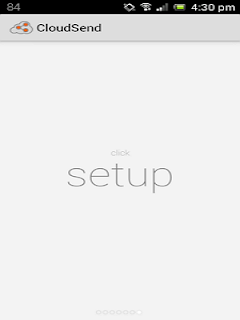
CloudSend are whatsapp apps That is used for sending any type of file through any messenger but it is used extensively for android.But for this app to work You need to have dropbox installed on your android.the link of both the apps are given below just download it and install it. From Below :- 

1. Download  Dropbox      Here
2 Download  CloudSend   Here

* After Installing  Dropbox and CloudSend on your Android device Open Cloudsend and start setup.


* CloudSend will ask you to link it with your Dropbox account. Without any hassle, allow it.

* Now you have completely setup the sharing process.

* Now Navigate to the file you wish to share with your friends.

* Long tap on the file and chose share option. Share it with CloudSend.


  * CloudSend will upload the selected file on Dropbox. Wait for the upload process.    

   * As soon as upload completes, you’ll get the notification on the notification panel. This 
       notificationis containing the sharing link.

   *Press the notification and you’ll be prompted to share file link via option. Share it via WhatsApp or any other messaging client with the person you wish to share the file with.

CloudSend are whatsapp apps That is used for sending any type of file through any messenger but it is used extensively for android.But for this app to work You need to have dropbox installed on your android.the link of both the apps are given below just download it and install it. From Below :- 

1. Download  Dropbox      Here
2 Download  CloudSend   Here

* After Installing  Dropbox and CloudSend on your Android device Open Cloudsend and start setup.


* CloudSend will ask you to link it with your Dropbox account. Without any hassle, allow it.

* Now you have completely setup the sharing process.

* Now Navigate to the file you wish to share with your friends.

* Long tap on the file and chose share option. Share it with CloudSend.


  * CloudSend will upload the selected file on Dropbox. Wait for the upload process.    

   * As soon as upload completes, you’ll get the notification on the notification panel. This 
       notificationis containing the sharing link.

   *Press the notification and you’ll be prompted to share file link via option. Share it via WhatsApp or any other messaging client with the person you wish to share the file with.

Whatsapp Trick to change Friends Profile picture...!!

Unknown | 11:39 PM | | Be the first to comment!
Ya its possible!!.but only on your own phone so you can troll them by using it.

This is how you do it

-Step 1. Choose a picture for your friend which you want to replace with your friend profile pic and download it.

-Step2. Now Rename the Image with your Friends Mobile Number. For example , i will change it to 98611****** of my friend .

-Step3.Resize the image to 561 * 561 using paint by following these steps:

- Right Click the image and "Open With">Paint
- Press Ctrl + W and check "by Pixels"
- Set the values to 561 Height and 561 Width
- Ctrl + S to Save it.
-Step 4. now just save the image into your device on the path “/sdcard/WhatsApp/Profile Pictures”.

-Step 5. Turn of Wifi or Deactivate data network for a while.(till you prank your friend). as his real profile picture will not Download then


Step 6: Show and Appreciate him for his new profile picture by showing him or say you have his whatsapp hack

(Note :- Its Not a hack but just a prank to fool ur freiends.)00000

Ya its possible!!.but only on your own phone so you can troll them by using it.

This is how you do it

-Step 1. Choose a picture for your friend which you want to replace with your friend profile pic and download it.

-Step2. Now Rename the Image with your Friends Mobile Number. For example , i will change it to 98611****** of my friend .

-Step3.Resize the image to 561 * 561 using paint by following these steps:

- Right Click the image and "Open With">Paint
- Press Ctrl + W and check "by Pixels"
- Set the values to 561 Height and 561 Width
- Ctrl + S to Save it.
-Step 4. now just save the image into your device on the path “/sdcard/WhatsApp/Profile Pictures”.

-Step 5. Turn of Wifi or Deactivate data network for a while.(till you prank your friend). as his real profile picture will not Download then


Step 6: Show and Appreciate him for his new profile picture by showing him or say you have his whatsapp hack

(Note :- Its Not a hack but just a prank to fool ur freiends.)00000

Convert Un-resumable Download Links To Resumable Downloads !!

Unknown | 8:51 PM | 1 Comment so far
The only reason many people use Torrent is that they are afraid that their download may fail in spite of the low speed it has got. And the main problem is that they don't wanna take chances with their download. If you too are facing that problem then you're saved. I have got a method which lets you download files directly from an FTP server - a fully resumable! In this method you can get files from most of the file sharing networks directly and also you can use it to keep a backup of your site and store files online as well. But you wouldn't actually be getting the file from that particular file sharing network, the file that you want to download will first be grabbed by a separate site to their server and then you can direct download that file from that server to your own computer. The server that is going to grab your files for you has a pretty decent internet speed, so you don't have to worry about the process taking time. So, let's start .

Go to https://www.adrive.com/login/signup

There are different plans available. Besides the Basic plan other cost money. So, on the drop down list saying "Please select your plan", choose "Basic - Free". The basic plan gives you the ability to store 50 GB worth of files on their server. That is plenty, in my opinion. Even if you run out of space, you can always delete the earlier files to make space for the new ones. Enter the required information on the SignUp page and validate your account.

Now, get the link of the file you want to download. Remember, the link should contain the address of the file including the extension. Though you can do this on megaupload files, but this doesn't work for every file sharing sites since many redirect you to an html page or do not show the actual link of the files.

Login to your adrive account and click on Transfer Remote File.

Enter the link of the file in the empty field and click on Retrieve.

Let it complete. It won’t take much time. An 800 MB file normally takes around 8-10 minutes to get downloaded by the server. Don't close the window or browser while the server is grabbing the file.

After the transfer is complete, you’ll be redirected to the file manager.

Right click on your file, you'll see similar stuff on your screen :


Now click on Download to begin downloading.

The download can be paused and resumed. But, if you try to pause it for a longer period and try resuming again, it might not resume. So, you need to have Internet Download Manager (IDM) installed on your computer and I guess many of you are already using it. With this software, you'll be able to resume at any time. Else you can get it from here (Free): http://www.internetdownloadmanager.com

Install the program. Remember to install the browser extension as well or it won't work. Web-browser extension is automatically installed while installing the program. This software will download the files from adrive after you click on the “download” button.

Let us suppose you paused your download for a longer time. You'll see something similar to the following picture, if you try resuming after pausing for a long time on IDM.


All you've got to do now is right click on the particular file and click on the Refresh download address.

IDM will then show a notification. Don't click on stop waiting. Leave it like that.

 Head over to your adrive account. Right click on that particular file to resume and click on Download. Again a box will pop out notification.

 Press on Ok. Then right click on the file and click on Resume download and it will resume.

 That's it. You can transfer backups of your site, files, softwares or anything else on adrive and direct -download it later easily.

The only reason many people use Torrent is that they are afraid that their download may fail in spite of the low speed it has got. And the main problem is that they don't wanna take chances with their download. If you too are facing that problem then you're saved. I have got a method which lets you download files directly from an FTP server - a fully resumable! In this method you can get files from most of the file sharing networks directly and also you can use it to keep a backup of your site and store files online as well. But you wouldn't actually be getting the file from that particular file sharing network, the file that you want to download will first be grabbed by a separate site to their server and then you can direct download that file from that server to your own computer. The server that is going to grab your files for you has a pretty decent internet speed, so you don't have to worry about the process taking time. So, let's start .

Go to https://www.adrive.com/login/signup

There are different plans available. Besides the Basic plan other cost money. So, on the drop down list saying "Please select your plan", choose "Basic - Free". The basic plan gives you the ability to store 50 GB worth of files on their server. That is plenty, in my opinion. Even if you run out of space, you can always delete the earlier files to make space for the new ones. Enter the required information on the SignUp page and validate your account.

Now, get the link of the file you want to download. Remember, the link should contain the address of the file including the extension. Though you can do this on megaupload files, but this doesn't work for every file sharing sites since many redirect you to an html page or do not show the actual link of the files.

Login to your adrive account and click on Transfer Remote File.

Enter the link of the file in the empty field and click on Retrieve.

Let it complete. It won’t take much time. An 800 MB file normally takes around 8-10 minutes to get downloaded by the server. Don't close the window or browser while the server is grabbing the file.

After the transfer is complete, you’ll be redirected to the file manager.

Right click on your file, you'll see similar stuff on your screen :


Now click on Download to begin downloading.

The download can be paused and resumed. But, if you try to pause it for a longer period and try resuming again, it might not resume. So, you need to have Internet Download Manager (IDM) installed on your computer and I guess many of you are already using it. With this software, you'll be able to resume at any time. Else you can get it from here (Free): http://www.internetdownloadmanager.com

Install the program. Remember to install the browser extension as well or it won't work. Web-browser extension is automatically installed while installing the program. This software will download the files from adrive after you click on the “download” button.

Let us suppose you paused your download for a longer time. You'll see something similar to the following picture, if you try resuming after pausing for a long time on IDM.


All you've got to do now is right click on the particular file and click on the Refresh download address.

IDM will then show a notification. Don't click on stop waiting. Leave it like that.

 Head over to your adrive account. Right click on that particular file to resume and click on Download. Again a box will pop out notification.

 Press on Ok. Then right click on the file and click on Resume download and it will resume.

 That's it. You can transfer backups of your site, files, softwares or anything else on adrive and direct -download it later easily.

Crack all Adobe Trial versions into Full !!

Unknown | 9:34 AM | Be the first to comment!
There is no doubt in saying that at present Adobe softwares have become part of our life whether its Dreamweaver, Photoshop, Flash, Adobe Creative Suite 5 Design Premium, Adobe reader etc or whatever. So today we gonna learn  how to crack all Adobe trial versions. So lets get started.

If you have Adobe Software installed , Update it for the crack to work else download and install it.Open RUN and type the following text below and press enter:

C:\Windows\System32\drivers\etc

Now open the HOST file using Notepad and copy the below lines of codes into it.

127.0.0.1 hl2rcv.adobe.com
127.0.0.1 adobeereg.com
127.0.0.1 activate.adobe.com
127.0.0.1 practivate.adobe.com
127.0.0.1 ereg.adobe.com
127.0.0.1 activate.wip3.adobe.com
127.0.0.1 ereg.wip3.adobe.com
127.0.0.1 wip3.adobe.com
127.0.0.1 activate-sea.adobe.com
127.0.0.1 wwis-dubc1-vip60.adobe.com
127.0.0.1 activate-sjc0.adobe.com
127.0.0.1 3dns.adobe.com
127.0.0.1 3dns-1.adobe.com
127.0.0.1 3dns-2.adobe.com
127.0.0.1 3dns-3.adobe.com
127.0.0.1 3dns-4.adobe.com
127.0.0.1 adobe-dns.adobe.com
127.0.0.1 adobe-dns-1.adobe.com
127.0.0.1 adobe-dns-2.adobe.com
127.0.0.1 adobe-dns-3.adobe.com
127.0.0.1 adobe-dns-4.adobe.com
127.0.0.1 adobe-dns-5.adobe.com
127.0.0.1 hh-software.com
127.0.0.1 http://www.hh-software.com
127.0.0.1 activate.adobe.de
127.0.0.1 practivate.adobe.de
127.0.0.1 ereg.adobe.de
127.0.0.1 activate.wip3.adobe.de
127.0.0.1 wip3.adobe.de
127.0.0.1 3dns-3.adobe.de
127.0.0.1 3dns-2.adobe.de
127.0.0.1 adobe-dns.adobe.de
127.0.0.1 adobe-dns-2.adobe.de
127.0.0.1 adobe-dns-3.adobe.de
127.0.0.1 ereg.wip3.adobe.de
127.0.0.1 activate-sea.adobe.de
127.0.0.1 wwis-dubc1-vip60.adobe.de
127.0.0.1 activate-sjc0.adobe.de
127.0.0.1 wwis-dubc1-vip60.adobe.de
127.0.0.1 hl2rcv.adobe.de
127.0.0.1 nero.com
127.0.0.1 http://www.nero.com
127.0.0.1 activate.nero.com
127.0.0.1 http://www.activate.nero.com
127.0.0.1 nero.de
127.0.0.1 http://www.nero.de
127.0.0.1 activate.nero.de
127.0.0.1 http://www.activate.nero.de
127.0.0.1 validation.sls.microsoft.com

After doing these, save the  file and exit.
Now open that adobe software you downloaded and insert these serials into it.

N.B: LOOK FOR THE SPECIFIED SERIAL FOR YOUR SOFTWARE BELOW.

Adobe Creative Suite :
1325-0621-9125-0765-3648-0614
1325-0365-5929-6118-8817-8422
1325-0150-1163-7532-1626-3430
1325-0178-1927-9019-0123-2254
1325-0702-3693-1544-9166-3515
1325-0549-2240-0071-3409-1342

Photoshop CS5:
Serial : 1330-1927-7762-6383-0202-0414

Adobe CS5 Serials

Master Suite :
1325-1118-5864-4422-1094-1166
1325-1558-5864-4422-1094-1126
1325-1958-5864-4422-1094-1178
1325-1085-0645-5332-7061-9771

Photoshop :
1330-1927-7762-6383-0202-0414

Fireworks :
1193-1927-7762-6383-0202-0437

Dreamweaver :
1192-1927-7762-6383-0202-0474

Encore :
1132-1127-8739-4724-1356-4304

Soundbooth :
1332-1281-2401-7141-7851-9214

Onlocation :
1132-1434-9226-7415-1756-2046

Contribute :
1188-1001-8428-4361-2308-0839

Adobe Flash Catalyst :
1395-4001-8359-3301-6882-0521

Illustrator :
1034-1006-5290-0019-3090-0219

In Design :
1037-1000-0448-3419-1984-9230

Flash :
1302-1009-3696-1065-6850-7951

Adobe Creative Suite 5 Design Premium :
1407-1774-6464-0961-5577-3797
1325-1245-8536-3731-5649-0659
1325-1113-0107-7817-6293-2712
1325-1355-9394-6283-9724-7600
1325-1059-7531-1609-0601-5636
1325-1337-3209-8161-8985-5221

Adobe Premiere Pro CS5:
1325-1690-0603-1760-5083-6195
1325-1639-7577-9907-5036-7451

Adobe Lightroom 3 :
1160-4180-1304-4433-8182-0131
1160-4089-8059-2477-5747-3653
1160-4524-3826-2813-1878-0373
1160-4061-6875-7714-1191-2089
1160-4998-8932-9947-2948-1705
1160-4796-6424-4832-1184-5113
1160-4674-7526-7461-7646-0743
1160-4526-3596-3501-4568-7963

Adobe Photoshop CS5 :
1330-1331-8999-1502-9478-2917
1330-1142-0465-8003-9094-2819
1330-1316-4643-3923-8060-7538
1330-1671-4856-0278-6039-5990
1330-1647-2807-2131-5612-3113
1330-1069-7042-6518-2723-8340
1330-1273-0567-2526-5898-4518
1330-1700-2259-7564-5904-8654
1330-1456-7129-3124-9883-0945
1330-1978-0944-5190-8622-2482
1330-1729-4134-3278-5127-0701
1330-1195-9669-1964-1664-8624
1330-1053-1062-3663-3360-7919
1330-1721-2162-5454-2056-2287
1330-1266-3612-0814-0203-2212
1330-1398-3612-0601-3319-3385
1330-1559-1431-3534-8376-1995
1330-1121-1371-0736-8351-4437
1330-1168-5387-1370-1930-2853
1330-1710-0698-7698-7854-4790
1330-1554-8539-3561-0436-4419
1330-1522-1016-1028-5254-0575
1330-1114-2026-2783-5050-1059
1330-1415-4881-9987-0255-2828
1330-1024-9870-9107-3211-6777
1330-1005-5851-8724-6749-9129
1330-1302-5050-2968-0368-6016
1330-1243-3955-0795-5819-7078

And there you are ...
Enjoy your full Adobe Software :D


There is no doubt in saying that at present Adobe softwares have become part of our life whether its Dreamweaver, Photoshop, Flash, Adobe Creative Suite 5 Design Premium, Adobe reader etc or whatever. So today we gonna learn  how to crack all Adobe trial versions. So lets get started.

If you have Adobe Software installed , Update it for the crack to work else download and install it.Open RUN and type the following text below and press enter:

C:\Windows\System32\drivers\etc

Now open the HOST file using Notepad and copy the below lines of codes into it.

127.0.0.1 hl2rcv.adobe.com
127.0.0.1 adobeereg.com
127.0.0.1 activate.adobe.com
127.0.0.1 practivate.adobe.com
127.0.0.1 ereg.adobe.com
127.0.0.1 activate.wip3.adobe.com
127.0.0.1 ereg.wip3.adobe.com
127.0.0.1 wip3.adobe.com
127.0.0.1 activate-sea.adobe.com
127.0.0.1 wwis-dubc1-vip60.adobe.com
127.0.0.1 activate-sjc0.adobe.com
127.0.0.1 3dns.adobe.com
127.0.0.1 3dns-1.adobe.com
127.0.0.1 3dns-2.adobe.com
127.0.0.1 3dns-3.adobe.com
127.0.0.1 3dns-4.adobe.com
127.0.0.1 adobe-dns.adobe.com
127.0.0.1 adobe-dns-1.adobe.com
127.0.0.1 adobe-dns-2.adobe.com
127.0.0.1 adobe-dns-3.adobe.com
127.0.0.1 adobe-dns-4.adobe.com
127.0.0.1 adobe-dns-5.adobe.com
127.0.0.1 hh-software.com
127.0.0.1 http://www.hh-software.com
127.0.0.1 activate.adobe.de
127.0.0.1 practivate.adobe.de
127.0.0.1 ereg.adobe.de
127.0.0.1 activate.wip3.adobe.de
127.0.0.1 wip3.adobe.de
127.0.0.1 3dns-3.adobe.de
127.0.0.1 3dns-2.adobe.de
127.0.0.1 adobe-dns.adobe.de
127.0.0.1 adobe-dns-2.adobe.de
127.0.0.1 adobe-dns-3.adobe.de
127.0.0.1 ereg.wip3.adobe.de
127.0.0.1 activate-sea.adobe.de
127.0.0.1 wwis-dubc1-vip60.adobe.de
127.0.0.1 activate-sjc0.adobe.de
127.0.0.1 wwis-dubc1-vip60.adobe.de
127.0.0.1 hl2rcv.adobe.de
127.0.0.1 nero.com
127.0.0.1 http://www.nero.com
127.0.0.1 activate.nero.com
127.0.0.1 http://www.activate.nero.com
127.0.0.1 nero.de
127.0.0.1 http://www.nero.de
127.0.0.1 activate.nero.de
127.0.0.1 http://www.activate.nero.de
127.0.0.1 validation.sls.microsoft.com

After doing these, save the  file and exit.
Now open that adobe software you downloaded and insert these serials into it.

N.B: LOOK FOR THE SPECIFIED SERIAL FOR YOUR SOFTWARE BELOW.

Adobe Creative Suite :
1325-0621-9125-0765-3648-0614
1325-0365-5929-6118-8817-8422
1325-0150-1163-7532-1626-3430
1325-0178-1927-9019-0123-2254
1325-0702-3693-1544-9166-3515
1325-0549-2240-0071-3409-1342

Photoshop CS5:
Serial : 1330-1927-7762-6383-0202-0414

Adobe CS5 Serials

Master Suite :
1325-1118-5864-4422-1094-1166
1325-1558-5864-4422-1094-1126
1325-1958-5864-4422-1094-1178
1325-1085-0645-5332-7061-9771

Photoshop :
1330-1927-7762-6383-0202-0414

Fireworks :
1193-1927-7762-6383-0202-0437

Dreamweaver :
1192-1927-7762-6383-0202-0474

Encore :
1132-1127-8739-4724-1356-4304

Soundbooth :
1332-1281-2401-7141-7851-9214

Onlocation :
1132-1434-9226-7415-1756-2046

Contribute :
1188-1001-8428-4361-2308-0839

Adobe Flash Catalyst :
1395-4001-8359-3301-6882-0521

Illustrator :
1034-1006-5290-0019-3090-0219

In Design :
1037-1000-0448-3419-1984-9230

Flash :
1302-1009-3696-1065-6850-7951

Adobe Creative Suite 5 Design Premium :
1407-1774-6464-0961-5577-3797
1325-1245-8536-3731-5649-0659
1325-1113-0107-7817-6293-2712
1325-1355-9394-6283-9724-7600
1325-1059-7531-1609-0601-5636
1325-1337-3209-8161-8985-5221

Adobe Premiere Pro CS5:
1325-1690-0603-1760-5083-6195
1325-1639-7577-9907-5036-7451

Adobe Lightroom 3 :
1160-4180-1304-4433-8182-0131
1160-4089-8059-2477-5747-3653
1160-4524-3826-2813-1878-0373
1160-4061-6875-7714-1191-2089
1160-4998-8932-9947-2948-1705
1160-4796-6424-4832-1184-5113
1160-4674-7526-7461-7646-0743
1160-4526-3596-3501-4568-7963

Adobe Photoshop CS5 :
1330-1331-8999-1502-9478-2917
1330-1142-0465-8003-9094-2819
1330-1316-4643-3923-8060-7538
1330-1671-4856-0278-6039-5990
1330-1647-2807-2131-5612-3113
1330-1069-7042-6518-2723-8340
1330-1273-0567-2526-5898-4518
1330-1700-2259-7564-5904-8654
1330-1456-7129-3124-9883-0945
1330-1978-0944-5190-8622-2482
1330-1729-4134-3278-5127-0701
1330-1195-9669-1964-1664-8624
1330-1053-1062-3663-3360-7919
1330-1721-2162-5454-2056-2287
1330-1266-3612-0814-0203-2212
1330-1398-3612-0601-3319-3385
1330-1559-1431-3534-8376-1995
1330-1121-1371-0736-8351-4437
1330-1168-5387-1370-1930-2853
1330-1710-0698-7698-7854-4790
1330-1554-8539-3561-0436-4419
1330-1522-1016-1028-5254-0575
1330-1114-2026-2783-5050-1059
1330-1415-4881-9987-0255-2828
1330-1024-9870-9107-3211-6777
1330-1005-5851-8724-6749-9129
1330-1302-5050-2968-0368-6016
1330-1243-3955-0795-5819-7078

And there you are ...
Enjoy your full Adobe Software :D


Sites for Troubleshooting Computer Problems !!

Unknown | 7:42 PM | Be the first to comment!
It's natural that we face many PC problems in our day to day life if the computer is part of our day to day work. And also many of you guys keep on asking me solutions of different computer problems on our Facebook Page so guys below is a list of some websites that helps in troubleshooting your computer problems

1. About Troubleshooting Guides : About.com consist of step by step tutorials which has made it one of the most biggest troubleshooting sites. You will likely find most of the computer problems and their suitable solution.

2. Computerhope : A very simple and plain website, but very effective in its approach. Computerhope has several questions listed on the basic computer troubleshooting page, with those of-course they have solutions.

3. Microsoft : Microsoft also has troubleshooting guides to help you with general windows problem, they have this page of fixing common PC problems, where you will find most of the questions you probably need and solution too.

4. WikiHow : Wikihow is collaboration of thoughts, its editable guide, a how to site which is dedicated to helping with solutions. With detailed and easy instructions you will be able to find many computer related issues and their easy solutions.

5. Howtogeek :  Howtogeek has many sections dedicated to solving computer problems. With Linux and Windows section being the most popular, you can also find great wallpapers which can make your desktop look beautiful.

6. PCMag : PC Mag has some fantastic set of how to, guides and tutorials on windows. Probably the best magazine as well.

7. Labnol : A very popular blog where you will find every possible solution with in-depth tutorial guides on window and mac. The label also has certain tools which are really useful for web developer and coders.

8. Dummies : Dummies as the name suggest is not only for dummies but professionals too. It has a long list of articles and how to guides to make one an expert in computing. You can easily troubleshoot any PC with their detailed instructions and tips on solving the issues.

9. Makeuseof : The best tech site which inspires many of my articles, they have very popular pages with best of section and have many different solutions for many problems.

10. Lifehacker : A must visit site for all computer geeks and lovers.

The list doesn't end here, there are still many sites like : Superuser, TechsupportAlert, PCadvisor. If you guys have more sites then feel free to comment below .

It's natural that we face many PC problems in our day to day life if the computer is part of our day to day work. And also many of you guys keep on asking me solutions of different computer problems on our Facebook Page so guys below is a list of some websites that helps in troubleshooting your computer problems

1. About Troubleshooting Guides : About.com consist of step by step tutorials which has made it one of the most biggest troubleshooting sites. You will likely find most of the computer problems and their suitable solution.

2. Computerhope : A very simple and plain website, but very effective in its approach. Computerhope has several questions listed on the basic computer troubleshooting page, with those of-course they have solutions.

3. Microsoft : Microsoft also has troubleshooting guides to help you with general windows problem, they have this page of fixing common PC problems, where you will find most of the questions you probably need and solution too.

4. WikiHow : Wikihow is collaboration of thoughts, its editable guide, a how to site which is dedicated to helping with solutions. With detailed and easy instructions you will be able to find many computer related issues and their easy solutions.

5. Howtogeek :  Howtogeek has many sections dedicated to solving computer problems. With Linux and Windows section being the most popular, you can also find great wallpapers which can make your desktop look beautiful.

6. PCMag : PC Mag has some fantastic set of how to, guides and tutorials on windows. Probably the best magazine as well.

7. Labnol : A very popular blog where you will find every possible solution with in-depth tutorial guides on window and mac. The label also has certain tools which are really useful for web developer and coders.

8. Dummies : Dummies as the name suggest is not only for dummies but professionals too. It has a long list of articles and how to guides to make one an expert in computing. You can easily troubleshoot any PC with their detailed instructions and tips on solving the issues.

9. Makeuseof : The best tech site which inspires many of my articles, they have very popular pages with best of section and have many different solutions for many problems.

10. Lifehacker : A must visit site for all computer geeks and lovers.

The list doesn't end here, there are still many sites like : Superuser, TechsupportAlert, PCadvisor. If you guys have more sites then feel free to comment below .

Best 20 Sites For Free E-Books !!

Unknown | 7:00 PM | Be the first to comment!
If you are a computer geek then E-Book  is not a new term for you because I guess its only the source of knowledge. You might say I learnt from Facebook blogs and blah blah but believe me that many of those contents were copied from one of the E-Book . Knowledge doesn't cost  anything it just needs interest. So geeks today I'm gonna share a list with you guys and the list is of 20 best sites to download free E-Books. Nothing new is in this because I never share ideas that costs  :P 

Here is the list 

  1. FreeBookSpot
  2. 4eBooks
  3. Free-EBooks
  4. ManyBooks
  5. GetFreeEBooks
  6. FreeComputerBooks
  7. FreeTechBooks
  8. Scribd
  9. Globusz
  10. KnowFree
  11. OnlineFreeEBooks
  12. MemoWare
  13. BluePortal
  14. OnlineComputerBooks
  15. SnipFiles
  16. BookYards
  17. The Online Books Page
  18. AskSam EBooks
  19. Baen Free Library
  20. EBookLobby

If you are a computer geek then E-Book  is not a new term for you because I guess its only the source of knowledge. You might say I learnt from Facebook blogs and blah blah but believe me that many of those contents were copied from one of the E-Book . Knowledge doesn't cost  anything it just needs interest. So geeks today I'm gonna share a list with you guys and the list is of 20 best sites to download free E-Books. Nothing new is in this because I never share ideas that costs  :P 

Here is the list 

  1. FreeBookSpot
  2. 4eBooks
  3. Free-EBooks
  4. ManyBooks
  5. GetFreeEBooks
  6. FreeComputerBooks
  7. FreeTechBooks
  8. Scribd
  9. Globusz
  10. KnowFree
  11. OnlineFreeEBooks
  12. MemoWare
  13. BluePortal
  14. OnlineComputerBooks
  15. SnipFiles
  16. BookYards
  17. The Online Books Page
  18. AskSam EBooks
  19. Baen Free Library
  20. EBookLobby

Involvement of Microsoft In NSA Surveillance !!

Unknown | 10:22 AM | Be the first to comment!
Edward Snowden is not a new name to us. He was the person behind  The NSA Surveillance Program Leak. According to secret documents provided by him it has been exposed that Microsoft worked hand-in-hand with the United States government and handed the NSA access to encrypted messages and built a series of backdoors into Outlook.com, Skype, and SkyDrive to ease difficulties in accessing online communications. It has also come to knowledge that over the last three years, Microsoft has reportedly assisted the FBI and NSA in encryption by passing its products' encryption that would otherwise prevent the interception of web chats, emails, and user data.

The documents obtained by The Guardian show that

  • Microsoft helped the NSA to circumvent its encryption to address concerns that the agency would be unable to intercept web chats on the new Outlook.com portal. 
  • The agency already had pre-encryption stage access to email on Outlook.com, including Hotmail. 
  • The company worked with the FBI this year to allow the NSA easier access via Prism to its cloud storage service SkyDrive, which now has more than 250 million users worldwide. 
  • Microsoft also worked with the FBI's Data Intercept Unit to "understand" potential issues with a feature on Outlook.com that allows users to create email aliases. 
  • Skype, which was bought by Microsoft in October 2011, worked with intelligence agencies that allowed Prism to collect video of conversations as well as audio. 
  • Material collected through Prism is routinely shared with the FBI and CIA, with one NSA document describing the program as a "team sport".


With all of the recent revelations about NSA surveillance, news of Microsoft's involvement shouldn't come as a huge surprise. The United States government has since indicted Snowden under the Espionage Act, and he has requested asylum from no fewer than 20 foreign nations. And finally it ended with the acceptance of the request by Venezuela which is sure to create some coldness between the USA  and Venezuela.


Edward Snowden is not a new name to us. He was the person behind  The NSA Surveillance Program Leak. According to secret documents provided by him it has been exposed that Microsoft worked hand-in-hand with the United States government and handed the NSA access to encrypted messages and built a series of backdoors into Outlook.com, Skype, and SkyDrive to ease difficulties in accessing online communications. It has also come to knowledge that over the last three years, Microsoft has reportedly assisted the FBI and NSA in encryption by passing its products' encryption that would otherwise prevent the interception of web chats, emails, and user data.

The documents obtained by The Guardian show that

  • Microsoft helped the NSA to circumvent its encryption to address concerns that the agency would be unable to intercept web chats on the new Outlook.com portal. 
  • The agency already had pre-encryption stage access to email on Outlook.com, including Hotmail. 
  • The company worked with the FBI this year to allow the NSA easier access via Prism to its cloud storage service SkyDrive, which now has more than 250 million users worldwide. 
  • Microsoft also worked with the FBI's Data Intercept Unit to "understand" potential issues with a feature on Outlook.com that allows users to create email aliases. 
  • Skype, which was bought by Microsoft in October 2011, worked with intelligence agencies that allowed Prism to collect video of conversations as well as audio. 
  • Material collected through Prism is routinely shared with the FBI and CIA, with one NSA document describing the program as a "team sport".


With all of the recent revelations about NSA surveillance, news of Microsoft's involvement shouldn't come as a huge surprise. The United States government has since indicted Snowden under the Espionage Act, and he has requested asylum from no fewer than 20 foreign nations. And finally it ended with the acceptance of the request by Venezuela which is sure to create some coldness between the USA  and Venezuela.


Facebook Tricks You Might Not Know !!!

Unknown | 8:29 PM | Be the first to comment!


Well guys I have attempted to make collection of some Facebook tricks many of you might not know.


1) Facebook Status Trick Blue Color Status update:

Copy and Paste the following code and remove all + sign and also replace Type your text here with your status

@[+1: ]@+@[+1:[0:1: Type your text here]]

2) Trick For Scheduling A Status:

Login into your Facebook account and go to the link http://www.laterbro.com/

Then click on Facebook select your time zone and click on Next. Type your status select the date and time to post and finally click on the Schedule button

3) Facebook Status Trick Update Facebook Status With Symbols:

It's cool to see our status message, sometimes we want to add some icons. Facebook status symbols do not have to use the inbuilt facility.

http://www.fsymbols.com/all/ 

Follow this link copy the desired symbol and update it as your status.

4) Whoever opens the below link is redirected to their own profile

http://www.facebook.com/profile.php?=73322363

Click on this link to check the answer
You can play some prank on your Facebook friends

5) 3D View Of The Status Of Facebook

https://apps.facebook.com/statusanalyze_fb/

6) Download Facebook Photo Album With A Single Click

Go to www.facebook2zip.com
Click On Login With Facebook
Then click on OK
Now here is the option whether you want to download your own album or as a friend and click Next
Now select the album you want to download any
Just click the Download button and choose the location where you want to save the photo album.


Well guys I have attempted to make collection of some Facebook tricks many of you might not know.


1) Facebook Status Trick Blue Color Status update:

Copy and Paste the following code and remove all + sign and also replace Type your text here with your status

@[+1: ]@+@[+1:[0:1: Type your text here]]

2) Trick For Scheduling A Status:

Login into your Facebook account and go to the link http://www.laterbro.com/

Then click on Facebook select your time zone and click on Next. Type your status select the date and time to post and finally click on the Schedule button

3) Facebook Status Trick Update Facebook Status With Symbols:

It's cool to see our status message, sometimes we want to add some icons. Facebook status symbols do not have to use the inbuilt facility.

http://www.fsymbols.com/all/ 

Follow this link copy the desired symbol and update it as your status.

4) Whoever opens the below link is redirected to their own profile

http://www.facebook.com/profile.php?=73322363

Click on this link to check the answer
You can play some prank on your Facebook friends

5) 3D View Of The Status Of Facebook

https://apps.facebook.com/statusanalyze_fb/

6) Download Facebook Photo Album With A Single Click

Go to www.facebook2zip.com
Click On Login With Facebook
Then click on OK
Now here is the option whether you want to download your own album or as a friend and click Next
Now select the album you want to download any
Just click the Download button and choose the location where you want to save the photo album.

Some Common PC Errors and Their Solutions !!

Unknown | 8:12 PM | Be the first to comment!

Hello folks

Today I have tried to gather some common PC errors that we face and their temporary solutions. I hope you guys would love the post :)

1. MONITOR LED IS BLINKING
Check all the connections like Monitor Cable, Data cables, RAM, Display Card , CPU connections.

2. CONTINUOUS THREE BEEPS
Problem in RAM Connection.

3. THREE BEEPS ( 1 Long 2 Short)
Problem in Display Card Connection

4. THREE LONG BEEPS PERIOD WISE
Problem in BIOS or RAM (Basic Input Output System)

5. CONTINUOUS NON-STOP BEEPING
Key Board Problem (I.e.; Some Key is pressed for Longer time)

6. FDD LED IS GLOWING CONTINUOUSLY
Data cable to be connected properly (twisted cable).

7. NO DISPLAY ON THE SCREEN AT ALL
Hard Disk cable connected wrongly. Connect rightly seeing the Red mark (Faces power supply) and then Restart.

8. POWER LED IS OFF
a. Check main power cord
b. Check S.M.P.S.
c. Check Mother Board connection

9. SHOWING CMOS ERROR
Replace 3 Volt battery of Mother Board . Set Original Settings Manually.(Refer­ CMOS Setup chart) Enter your search terms.Submit search form.

10. SHOWING FDD ERROR OR FLOPPY DRIVE IS NOT WORKING PROPERLY
Check Power cord of FDD , Data Cables , set CMOS & Finally the Check drive.

11. SHOWING HDD ERROR OR HARD DISK FAILURE
a. Check Power Cord
b. Check connection of HDD
c. Check Data cable
d. Check Hard Disk parameters in CMOS or Auto detecting Setting Partitions by Fdisk Command, then format it to set track 0.

12. MOTHER BOARD HANGS DUE TO UNSTABILIZED POWER SUPPLY
a. Check S.M.P.S
b. RAM not functioning properly.
c. Software problem (due to using pirated software)
d. CPU fan not functioning properly.

13. DANCING SCREEN
a. Check Display card connection
b. Virus Problem
c. Video Memory Problem

14. SHAKING SCREEN
a. Earthing problem
b. Magnetic waves comes around.

15. CPU CABINET SHOCK
a. Check Earthing
b. Check main power cord.

16. NON-SYSTEM DISK ERROR
a. Floppy Drive having different disk (Non-Bootable Disk) OR CMOS Parameters for Hard Disk may not be set properly.
b. Hard Disk Partitions may not be created.
c. Hard Disk may not be formatted.

17. MISSING OPERATING SYSTEM
The System files missing namely Ie; command.com} -User File IO.SYS & MS_DOS.SYS } - Hidden Files. These above three files required for Start up of the system that can be transferred by using SYS C: Command OR While the time of formatting by using Format c:/u/s

18. MISSING COMMAND INTERPRETOR
May the file Command.com is corrupted OR Infected by Virus OR Some one has Erased it.

19. SHOWING I/O ERROR
a. The type of Hard Disk in CMOS may not be set properly.
b. Operating system used for formatting is not valid.

20. SHOWING DIVIDE OVER- FLOW MESSAGE
a. May some Directories or Files crash with other files.
b. Use CHKDSK/F or SCANDISK Command to correct it.

21. HARD DISK MAKING NOISE WHILE PROCESSING
a. Unstabilized power supply.
b. Check for Loose Contact.
c. Do not use Y Connectors for Hard Disk.
d. It may create Bad Sector OR Weak Hard Disk.

22. HARD DISK HANGS WHILE PROCESSING
Check for Bad Sector by using CHKDSK or SCANDISK Command. If found format the Hard Disk and set Partition before that area.(This is the only procedure to use Hard Disk with Bad Sector) OR (To avoid Bad Sectors use Standard Power Supply)

23. HARD DISK NOT DETECTED
a. Check Power Connector
b. Check Data Cables
c. Check Jumpers

24. PARTITION NOT SHOWN
Operating System where the Hard Disk formatted is not supported with present Mother Board. For Eg: Hard Disk formatted with Pentium System will hide their partitions for 486 System.

25. MMX/DLL FILE MISSING
May the above files may be corrupted due to power failure or Virus. Make available above files from other Computer. OR Reinstall Windows 98 Operating System. (This procedure will not make any effect on existing Data).

26. WINDOWS REGISTRY ERROR
This will happen due to sudden ON/OFF of the system. Final solution is to Reinstall Operating System.

27. DISPLAY COLOUR DOES NOT MATCH
a. Configure Display Card properly with their CD.
b. The Standard setting for Windows is set it to 800x600 for better performance.

28. UNKNOWN DEVICE FOUND
May the Driver utility is not provided with operating system . Insert Driver CD and install software for the above Device...


Hello folks

Today I have tried to gather some common PC errors that we face and their temporary solutions. I hope you guys would love the post :)

1. MONITOR LED IS BLINKING
Check all the connections like Monitor Cable, Data cables, RAM, Display Card , CPU connections.

2. CONTINUOUS THREE BEEPS
Problem in RAM Connection.

3. THREE BEEPS ( 1 Long 2 Short)
Problem in Display Card Connection

4. THREE LONG BEEPS PERIOD WISE
Problem in BIOS or RAM (Basic Input Output System)

5. CONTINUOUS NON-STOP BEEPING
Key Board Problem (I.e.; Some Key is pressed for Longer time)

6. FDD LED IS GLOWING CONTINUOUSLY
Data cable to be connected properly (twisted cable).

7. NO DISPLAY ON THE SCREEN AT ALL
Hard Disk cable connected wrongly. Connect rightly seeing the Red mark (Faces power supply) and then Restart.

8. POWER LED IS OFF
a. Check main power cord
b. Check S.M.P.S.
c. Check Mother Board connection

9. SHOWING CMOS ERROR
Replace 3 Volt battery of Mother Board . Set Original Settings Manually.(Refer­ CMOS Setup chart) Enter your search terms.Submit search form.

10. SHOWING FDD ERROR OR FLOPPY DRIVE IS NOT WORKING PROPERLY
Check Power cord of FDD , Data Cables , set CMOS & Finally the Check drive.

11. SHOWING HDD ERROR OR HARD DISK FAILURE
a. Check Power Cord
b. Check connection of HDD
c. Check Data cable
d. Check Hard Disk parameters in CMOS or Auto detecting Setting Partitions by Fdisk Command, then format it to set track 0.

12. MOTHER BOARD HANGS DUE TO UNSTABILIZED POWER SUPPLY
a. Check S.M.P.S
b. RAM not functioning properly.
c. Software problem (due to using pirated software)
d. CPU fan not functioning properly.

13. DANCING SCREEN
a. Check Display card connection
b. Virus Problem
c. Video Memory Problem

14. SHAKING SCREEN
a. Earthing problem
b. Magnetic waves comes around.

15. CPU CABINET SHOCK
a. Check Earthing
b. Check main power cord.

16. NON-SYSTEM DISK ERROR
a. Floppy Drive having different disk (Non-Bootable Disk) OR CMOS Parameters for Hard Disk may not be set properly.
b. Hard Disk Partitions may not be created.
c. Hard Disk may not be formatted.

17. MISSING OPERATING SYSTEM
The System files missing namely Ie; command.com} -User File IO.SYS & MS_DOS.SYS } - Hidden Files. These above three files required for Start up of the system that can be transferred by using SYS C: Command OR While the time of formatting by using Format c:/u/s

18. MISSING COMMAND INTERPRETOR
May the file Command.com is corrupted OR Infected by Virus OR Some one has Erased it.

19. SHOWING I/O ERROR
a. The type of Hard Disk in CMOS may not be set properly.
b. Operating system used for formatting is not valid.

20. SHOWING DIVIDE OVER- FLOW MESSAGE
a. May some Directories or Files crash with other files.
b. Use CHKDSK/F or SCANDISK Command to correct it.

21. HARD DISK MAKING NOISE WHILE PROCESSING
a. Unstabilized power supply.
b. Check for Loose Contact.
c. Do not use Y Connectors for Hard Disk.
d. It may create Bad Sector OR Weak Hard Disk.

22. HARD DISK HANGS WHILE PROCESSING
Check for Bad Sector by using CHKDSK or SCANDISK Command. If found format the Hard Disk and set Partition before that area.(This is the only procedure to use Hard Disk with Bad Sector) OR (To avoid Bad Sectors use Standard Power Supply)

23. HARD DISK NOT DETECTED
a. Check Power Connector
b. Check Data Cables
c. Check Jumpers

24. PARTITION NOT SHOWN
Operating System where the Hard Disk formatted is not supported with present Mother Board. For Eg: Hard Disk formatted with Pentium System will hide their partitions for 486 System.

25. MMX/DLL FILE MISSING
May the above files may be corrupted due to power failure or Virus. Make available above files from other Computer. OR Reinstall Windows 98 Operating System. (This procedure will not make any effect on existing Data).

26. WINDOWS REGISTRY ERROR
This will happen due to sudden ON/OFF of the system. Final solution is to Reinstall Operating System.

27. DISPLAY COLOUR DOES NOT MATCH
a. Configure Display Card properly with their CD.
b. The Standard setting for Windows is set it to 800x600 for better performance.

28. UNKNOWN DEVICE FOUND
May the Driver utility is not provided with operating system . Insert Driver CD and install software for the above Device...

A Collection of 105 Useful Websites !!

Unknown | 1:48 AM | Be the first to comment!


Hey guys here is the list of 105 websites that you might find useful in your day to day works .


1. screenr.com – Record movies of your desktop and send them straight to YouTube.
2. bounceapp.com – For capturing full length screenshots of web pages.
3. Goo. gl – Shorten long URLs and convert URLs into QR codes.
4. untiny.me – Find the original URLs that’s hiding behind a short URLs.
5. localti.me – Know more than just the local time of a city
6.copypastecharacter.com– Copy-paste special characters that aren’t on your keyboard.
7. topsy.com –A better search engine for twitter.
8. fb.me/AppStore –Search iOS apps without launching iTunes.
9. iconfinder.com –The best place to find icons of all sizes.
10. office.com –Download templates, clipart and images for your Office documents.
11. woorank.com –everything you wanted to know about a website.
12. virustotal.com –Scan any suspicious file or email attachment for viruses.
13. wolframalpha.com– Gets answers directly without searching .
14.printwhatyoulike.com– Print web pages without the clutter.
15. joliprint.com –Reformats news articles and blog content as a newspaper.
16. isnsfw.com – When you wish to share a NSFW page but with a warning.
17. eggtimer.com – A simple online timer for your daily needs.
18. coralcdn.org – If a site is down due to heavy traffic, try accessing it through coral CDN.
19. random.org – Pick random numbers, flip coins, and more.
20. mywot.com –Check the trust level of any website .
21. viewer.zoho.com –Preview PDFs and Presentations directly in the browser.
22. tubemogul.com –Simultaneously upload videos to YouTube and other video sites.
23. truveo.com – The best place for searching web videos.
24. scr.im – Share your email address online without worrying about spam.
25. spypig.com – Now get read receipts for your email.
26. sizeasy.com –Visualize and compare the size of any product.
27. whatfontis.com –quickly determine the font name from an image.
28. fontsquirrel.com –A good collection of fonts – free for personal and commercial use.
29. regex.info – Find data hidden in your photographs .
30. tineye.com – This is like an online version of Google Googles.
31. iwantmyname.com– Helps you search domains across allTLDs.
32. tabbloid.com –Your favorite blogs delivered as PDFs.
33. join. me – Share your screen with anyone over the web.
34. onlineocr.net –Recognize text from scanned PDFs and images – see other OCR tools.
35. flightstats.com –Track flight status at airports worldwide.
36. wetransfer.com –For sharing really big files online.
37. pastebin.com – A temporary onlineclipboard for your text and code snippets.
38.polishmywriting.com –Check your writing for spelling or grammatical errors.
39.awesomehighlighter.com– Easily highlight the important parts of a web page.
40. typewith.me –Work on the same document with multiple people.
41.whichdateworks.com –Planning an event? Find a date that works for all.
42. everytimezone.com– A less confusing view of the world time zones.
43. warrick.cs.odu.edu– You’ll need this when your bookmarked web pages are deleted.
44. gtmetrix.com – The perfect tool for measuring your site performance online.
45. imo.im – Chat with your buddies on Skype,Facebook, GoogleTalk, etc from one place.
46.translate.google.com– Translate web pages,PDFs and Office documents.
47. youtube.com/leanback – Sit back and enjoy YouTube videos in full-screen mode.
48. similarsites.com –Discover new sites that are similar to what you like already.
49. wordle.net – Quicksummarize long pieces of text with tag clouds.
50. bubbl.us – Create mind-maps, brainstorm ideas in the browser.
51. kuler.adobe.com –Get color ideas, also extract colors from photographs.
52. followupthen.com– Setup quick reminders via email itself.
53. lmgtfy.com – When your friends are too lazy to use Google on their own.
54. tempalias.com –Generate temporary email aliases, better than disposable email.
55. pdfescape.com –Lets you can quickly edit PDFs in the browser itself.
56. faxzero.com – Send an online fax for free– see more fax services.
57. feedmyinbox.com –Get RSS feeds as an email newsletter.
58. isendr.com –Transfer files without uploading to a server.
59. tinychat.com –Setup a private chatroom in micro-seconds.
60. privnote.com –Create text notes that will self-destruct after being read.
61. flightaware.com –Live flight tracking service for airports worldwide.
62. boxoh.com – Track the status of any shipment on Google Maps – alternative.
63. chipin.com – When you need to raise funds online for an event or a cause.
64.downforeveryoneorjustme.com – Is your favorites really offline?
65. example.com – This website can be used as an example in documentation.
66.whoishostingthis.com –Find the web host of any website.
67. google.com/history– Found something on Google but can’t remember it now?
68.errorlevelanalysis.com– Find whether a photo is real or aphotoshopped one.
69. google.com/dictionary – Get word meanings, pronunciations and usage examples.
70.urbandictionary.com –Find definitions of slangs and informal words.
71. seatguru.com –Consult this site before choosing a seat for your next flight.
72. sxc.hu – Download stock images absolutely free.
73.download.com.np-Get all softwares.
74. wobzip.org – Unzip your compressed files online.
75. vocaroo.com –Record your voice with a click.
76. scribblemaps.com– Create custom Google Maps easily.
77. buzzfeed.com –Never miss another Internet meme or viral video.
78. alertful.com –Quickly setup email reminders for important events.
79.encrypted.google.com– Prevent your ISP and boss from reading your search queries.
80. formspring.me –You can ask or answer personal questions here.
81. snopes.com – Find if that email offer you received is real or just another scam.
82. typingweb.com –Master touch-typing with these practice sessions.
83. mailvu.com – Send video emails to anyone using your webcam.
84. ge.tt – Quickly send a file to someone,they can even preview it before downloading.
85. timerime.com –Create timelines with audio, video and images.
86. stupeflix.com –Make a movie out of your images, audio and video clips.
87. aviary.com/myna –An online audio editor that lets you record and remix audio clip.
88. noteflight.com –Print music sheets, write your own music online (review).
89.disposablewebpage.com– Create a temporary web page that self-destruct.
90. namemytune.com– When you need to find the name of a song.
91. homestyler.com –Design from scratch or re-model your home in3d.
92. snapask.com – Use email on your phone to find sports scores, read Wikipedia, etc.
93. teuxdeux.com – A beautiful to-do app that resembles a paper diary.
94. livestream.com –Broadcast events live over the web, including your desktop screen.
95. bing.com/images –Automatically find perfectly-sized wallpapers for mobiles.
96. historio.us –Preserve complete web pages with all the formatting.
97. dabbleboard.com –Your virtual whiteboard.
98. whisperbot.com –Send an email without using your own account.
99. sumopaint.com –An excellent layer-based online image editor.
100. lovelycharts.com– Create flowcharts, network diagrams, Sitemaps, etc.
101. nutshellmail.com– Get your Facebook and Twitter streams in your Inbox.
102.The Hype Machine -Web-based music discovery site based on the music posted to blogshttp://hypem.com/
103.SimpleWash -A site to help you clean up old content you may not want to show on your social media profiles anymore (currently Facebook only, Twitter is coming soon) SimpleWash™
104.ListenToYouTube.com -Converts YouTube videos to mp3sYouTube to MP3 Converter - Fast, Free - ListenToYouTube.com
105.PushBullet -Easily send notes, links, lists, files, etc. to your Android phonehttps://www.pushbullet.com/


Hey guys here is the list of 105 websites that you might find useful in your day to day works .


1. screenr.com – Record movies of your desktop and send them straight to YouTube.
2. bounceapp.com – For capturing full length screenshots of web pages.
3. Goo. gl – Shorten long URLs and convert URLs into QR codes.
4. untiny.me – Find the original URLs that’s hiding behind a short URLs.
5. localti.me – Know more than just the local time of a city
6.copypastecharacter.com– Copy-paste special characters that aren’t on your keyboard.
7. topsy.com –A better search engine for twitter.
8. fb.me/AppStore –Search iOS apps without launching iTunes.
9. iconfinder.com –The best place to find icons of all sizes.
10. office.com –Download templates, clipart and images for your Office documents.
11. woorank.com –everything you wanted to know about a website.
12. virustotal.com –Scan any suspicious file or email attachment for viruses.
13. wolframalpha.com– Gets answers directly without searching .
14.printwhatyoulike.com– Print web pages without the clutter.
15. joliprint.com –Reformats news articles and blog content as a newspaper.
16. isnsfw.com – When you wish to share a NSFW page but with a warning.
17. eggtimer.com – A simple online timer for your daily needs.
18. coralcdn.org – If a site is down due to heavy traffic, try accessing it through coral CDN.
19. random.org – Pick random numbers, flip coins, and more.
20. mywot.com –Check the trust level of any website .
21. viewer.zoho.com –Preview PDFs and Presentations directly in the browser.
22. tubemogul.com –Simultaneously upload videos to YouTube and other video sites.
23. truveo.com – The best place for searching web videos.
24. scr.im – Share your email address online without worrying about spam.
25. spypig.com – Now get read receipts for your email.
26. sizeasy.com –Visualize and compare the size of any product.
27. whatfontis.com –quickly determine the font name from an image.
28. fontsquirrel.com –A good collection of fonts – free for personal and commercial use.
29. regex.info – Find data hidden in your photographs .
30. tineye.com – This is like an online version of Google Googles.
31. iwantmyname.com– Helps you search domains across allTLDs.
32. tabbloid.com –Your favorite blogs delivered as PDFs.
33. join. me – Share your screen with anyone over the web.
34. onlineocr.net –Recognize text from scanned PDFs and images – see other OCR tools.
35. flightstats.com –Track flight status at airports worldwide.
36. wetransfer.com –For sharing really big files online.
37. pastebin.com – A temporary onlineclipboard for your text and code snippets.
38.polishmywriting.com –Check your writing for spelling or grammatical errors.
39.awesomehighlighter.com– Easily highlight the important parts of a web page.
40. typewith.me –Work on the same document with multiple people.
41.whichdateworks.com –Planning an event? Find a date that works for all.
42. everytimezone.com– A less confusing view of the world time zones.
43. warrick.cs.odu.edu– You’ll need this when your bookmarked web pages are deleted.
44. gtmetrix.com – The perfect tool for measuring your site performance online.
45. imo.im – Chat with your buddies on Skype,Facebook, GoogleTalk, etc from one place.
46.translate.google.com– Translate web pages,PDFs and Office documents.
47. youtube.com/leanback – Sit back and enjoy YouTube videos in full-screen mode.
48. similarsites.com –Discover new sites that are similar to what you like already.
49. wordle.net – Quicksummarize long pieces of text with tag clouds.
50. bubbl.us – Create mind-maps, brainstorm ideas in the browser.
51. kuler.adobe.com –Get color ideas, also extract colors from photographs.
52. followupthen.com– Setup quick reminders via email itself.
53. lmgtfy.com – When your friends are too lazy to use Google on their own.
54. tempalias.com –Generate temporary email aliases, better than disposable email.
55. pdfescape.com –Lets you can quickly edit PDFs in the browser itself.
56. faxzero.com – Send an online fax for free– see more fax services.
57. feedmyinbox.com –Get RSS feeds as an email newsletter.
58. isendr.com –Transfer files without uploading to a server.
59. tinychat.com –Setup a private chatroom in micro-seconds.
60. privnote.com –Create text notes that will self-destruct after being read.
61. flightaware.com –Live flight tracking service for airports worldwide.
62. boxoh.com – Track the status of any shipment on Google Maps – alternative.
63. chipin.com – When you need to raise funds online for an event or a cause.
64.downforeveryoneorjustme.com – Is your favorites really offline?
65. example.com – This website can be used as an example in documentation.
66.whoishostingthis.com –Find the web host of any website.
67. google.com/history– Found something on Google but can’t remember it now?
68.errorlevelanalysis.com– Find whether a photo is real or aphotoshopped one.
69. google.com/dictionary – Get word meanings, pronunciations and usage examples.
70.urbandictionary.com –Find definitions of slangs and informal words.
71. seatguru.com –Consult this site before choosing a seat for your next flight.
72. sxc.hu – Download stock images absolutely free.
73.download.com.np-Get all softwares.
74. wobzip.org – Unzip your compressed files online.
75. vocaroo.com –Record your voice with a click.
76. scribblemaps.com– Create custom Google Maps easily.
77. buzzfeed.com –Never miss another Internet meme or viral video.
78. alertful.com –Quickly setup email reminders for important events.
79.encrypted.google.com– Prevent your ISP and boss from reading your search queries.
80. formspring.me –You can ask or answer personal questions here.
81. snopes.com – Find if that email offer you received is real or just another scam.
82. typingweb.com –Master touch-typing with these practice sessions.
83. mailvu.com – Send video emails to anyone using your webcam.
84. ge.tt – Quickly send a file to someone,they can even preview it before downloading.
85. timerime.com –Create timelines with audio, video and images.
86. stupeflix.com –Make a movie out of your images, audio and video clips.
87. aviary.com/myna –An online audio editor that lets you record and remix audio clip.
88. noteflight.com –Print music sheets, write your own music online (review).
89.disposablewebpage.com– Create a temporary web page that self-destruct.
90. namemytune.com– When you need to find the name of a song.
91. homestyler.com –Design from scratch or re-model your home in3d.
92. snapask.com – Use email on your phone to find sports scores, read Wikipedia, etc.
93. teuxdeux.com – A beautiful to-do app that resembles a paper diary.
94. livestream.com –Broadcast events live over the web, including your desktop screen.
95. bing.com/images –Automatically find perfectly-sized wallpapers for mobiles.
96. historio.us –Preserve complete web pages with all the formatting.
97. dabbleboard.com –Your virtual whiteboard.
98. whisperbot.com –Send an email without using your own account.
99. sumopaint.com –An excellent layer-based online image editor.
100. lovelycharts.com– Create flowcharts, network diagrams, Sitemaps, etc.
101. nutshellmail.com– Get your Facebook and Twitter streams in your Inbox.
102.The Hype Machine -Web-based music discovery site based on the music posted to blogshttp://hypem.com/
103.SimpleWash -A site to help you clean up old content you may not want to show on your social media profiles anymore (currently Facebook only, Twitter is coming soon) SimpleWash™
104.ListenToYouTube.com -Converts YouTube videos to mp3sYouTube to MP3 Converter - Fast, Free - ListenToYouTube.com
105.PushBullet -Easily send notes, links, lists, files, etc. to your Android phonehttps://www.pushbullet.com/

Thousands of Website Deafced In Netherland & Belgium !!

Unknown | 11:02 PM | Be the first to comment!
Thousands of websites have been defaced in Netherland and Belgium after their domain registrars was hacked. Accoeding to report The Foundation for Internet Domain Registration (.NL) in the Netherlands (SIDN) was hacked and some malicious files were uploaded to the server by hackers. SQL injection vulnerability was used to hack one of the website on same server initially, that allowed hacker to temporarily access to the domain name registration system.

 On the same day several Belgium websites also got defaced by another group of hackers. Domain Registrar behind Belgium i.e DNs was compromised by attackers.The hackers were able to infiltrate and modify a DNS server, pointing all of the websites to a single website displaying the deface message. The authorities  immediately deleted the deface files and took the necessary precautions to block further malicious access to the website.

Thousands of websites have been defaced in Netherland and Belgium after their domain registrars was hacked. Accoeding to report The Foundation for Internet Domain Registration (.NL) in the Netherlands (SIDN) was hacked and some malicious files were uploaded to the server by hackers. SQL injection vulnerability was used to hack one of the website on same server initially, that allowed hacker to temporarily access to the domain name registration system.

 On the same day several Belgium websites also got defaced by another group of hackers. Domain Registrar behind Belgium i.e DNs was compromised by attackers.The hackers were able to infiltrate and modify a DNS server, pointing all of the websites to a single website displaying the deface message. The authorities  immediately deleted the deface files and took the necessary precautions to block further malicious access to the website.

Best Photoshop Tutorials Sites !!

Unknown | 12:05 AM | Be the first to comment!
Photoshop is a graphics editing program developed and published by Adobe Systems. As we all know that at present, it is the current market leader for photo manipulation software. It is an excellent software for creating attractive and stunning designs for various purposes like print media, web and multimedia. And if you are looking up to brush up your skills or want to learn some new tricks for creating great designs in Photoshop, there are thousands of tutorials on the internet. Loads of Photoshop tutorial websites are already providing a great learning experience, and  most of the websites provide awesome freebies. This time I thought to find only the best ones in ever growing crowd of Photoshop Tutorials websites on internet.

So have a look at best photoshop tutorial sites. Let us know in the comments, if we have missed any.

1) Psd.Tutsplus.com

2) good-tutorials.com

3) tutorial9.net

4) psdlearning.com

5) psdfan.com

6) luxa.org

7) pshero.com

8 ) pixel2life.com

9) abduzeedo.com

10) loreleiwebdesign.com

11) OnlineFreeTips

12) photoshoptutorials.ws

13) photoshop-garden.com

14) psfreak.com

15) biorust.com

16) tutorialdash.com

17) freephotoshop.ca

18) photoshoplady.com

19) grafpedia.com

20) 10steps.ag

21) tutorialoutpost.com

22) planetphotoshop.com

23) photoshopstar.com

24) talk-mania.com

25) photoshopessentials.com

26) tutorialized.com

27) tutorialspalace.com

28) photoshopcandy.com

29) pslover.com

30) pxleyes.com

31) photoshoproadmap.com

32) photoshopcontest.com

33) psdtop.com

34) howcast.com

35) absolutecross.com

36) adobetutorialz.com

37) eyesontutorials.com

38) crestock.com

39) developertutorials.com

40) devisefunction.com

41) gomediazine.com

42) psdvibe.com

43) hv-designs.co.uk

44) blog.spoongraphics.co.uk

45) bittbox.com

46) digitalartsonline.com

47) toxiclab.com

48) photoshopsupport.com

49) circlebloxblog.com

50) smashingmagazine.com

51) computerarts.co.uk

52) outlawdesignblog.com

53) dawghousedesignstudio.com

54) tutorialkit.com

55) sketchpad.net

56) tutcandy.com

57) tutorialdog.com

58) fudgegraphics.com

59) vandelaydesign.com

60) naldzgraphics.net


Photoshop is a graphics editing program developed and published by Adobe Systems. As we all know that at present, it is the current market leader for photo manipulation software. It is an excellent software for creating attractive and stunning designs for various purposes like print media, web and multimedia. And if you are looking up to brush up your skills or want to learn some new tricks for creating great designs in Photoshop, there are thousands of tutorials on the internet. Loads of Photoshop tutorial websites are already providing a great learning experience, and  most of the websites provide awesome freebies. This time I thought to find only the best ones in ever growing crowd of Photoshop Tutorials websites on internet.

So have a look at best photoshop tutorial sites. Let us know in the comments, if we have missed any.

1) Psd.Tutsplus.com

2) good-tutorials.com

3) tutorial9.net

4) psdlearning.com

5) psdfan.com

6) luxa.org

7) pshero.com

8 ) pixel2life.com

9) abduzeedo.com

10) loreleiwebdesign.com

11) OnlineFreeTips

12) photoshoptutorials.ws

13) photoshop-garden.com

14) psfreak.com

15) biorust.com

16) tutorialdash.com

17) freephotoshop.ca

18) photoshoplady.com

19) grafpedia.com

20) 10steps.ag

21) tutorialoutpost.com

22) planetphotoshop.com

23) photoshopstar.com

24) talk-mania.com

25) photoshopessentials.com

26) tutorialized.com

27) tutorialspalace.com

28) photoshopcandy.com

29) pslover.com

30) pxleyes.com

31) photoshoproadmap.com

32) photoshopcontest.com

33) psdtop.com

34) howcast.com

35) absolutecross.com

36) adobetutorialz.com

37) eyesontutorials.com

38) crestock.com

39) developertutorials.com

40) devisefunction.com

41) gomediazine.com

42) psdvibe.com

43) hv-designs.co.uk

44) blog.spoongraphics.co.uk

45) bittbox.com

46) digitalartsonline.com

47) toxiclab.com

48) photoshopsupport.com

49) circlebloxblog.com

50) smashingmagazine.com

51) computerarts.co.uk

52) outlawdesignblog.com

53) dawghousedesignstudio.com

54) tutorialkit.com

55) sketchpad.net

56) tutcandy.com

57) tutorialdog.com

58) fudgegraphics.com

59) vandelaydesign.com

60) naldzgraphics.net


Blog Archive

Visitors Info

Total Pageviews

Copyright © 2013 Webizo . All Rights Reserved.
Designed by Tushar and Shiva Gautam ( Webizo Team ). Powered by Webizo.in
back to top